Halloween: The Game Interactive Map
Use the Heights map beside your match. Mark what you actually find, keep track of where you have searched, and share the observations with your team. Your notes stay in this browser.
Haddonfield Heights
0 personal markers. Exits and items are the ones you observed, not guaranteed spawns.
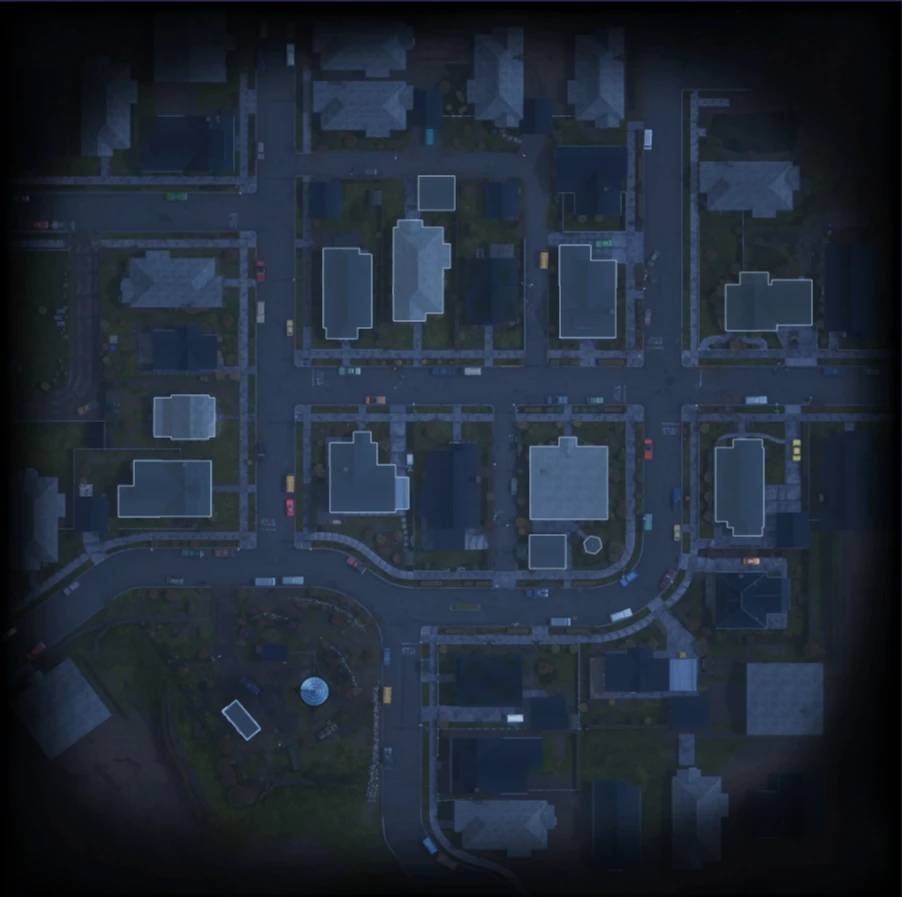
Tap the map to choose a position. At higher zoom, scroll inside the map. A–J runs left to right; 1–10 runs top to bottom. These grid references describe this image, not game coordinates.
Your marker ledger
No markers yet. Add an exit, item, danger spot or landmark you have found in your match.
Seen means observed. Searched means checked in this match. Ready means you have confirmed an exit is prepared and usable. None of these states updates the game.
Carry map knowledge forward, recheck match objects
| Observation | Use it for | New-match check |
|---|---|---|
| A street, park or building | Orienting yourself and giving a teammate a grid reference | Keep it as a landmark |
| An exit you have located | Coordinating which equipment to bring | Check that this match has an active exit there |
| An item you have seen | A teammate's current pickup plan | Locate the actual item again; a previous marker is not a spawn guarantee |
| A searched area or danger spot | Remembering what happened in this match | Clear it when starting a new match |
An exit marker is only a location note. Use the escape checker for the difference between carrying the items, preparing the interaction and an open exit. For the neighbourhood's fixed landmarks, read the Haddonfield Heights guide.
Keep going